A Look at a Subtle Micro-Animation
A small logo animation on "The-Brand Identity Website"
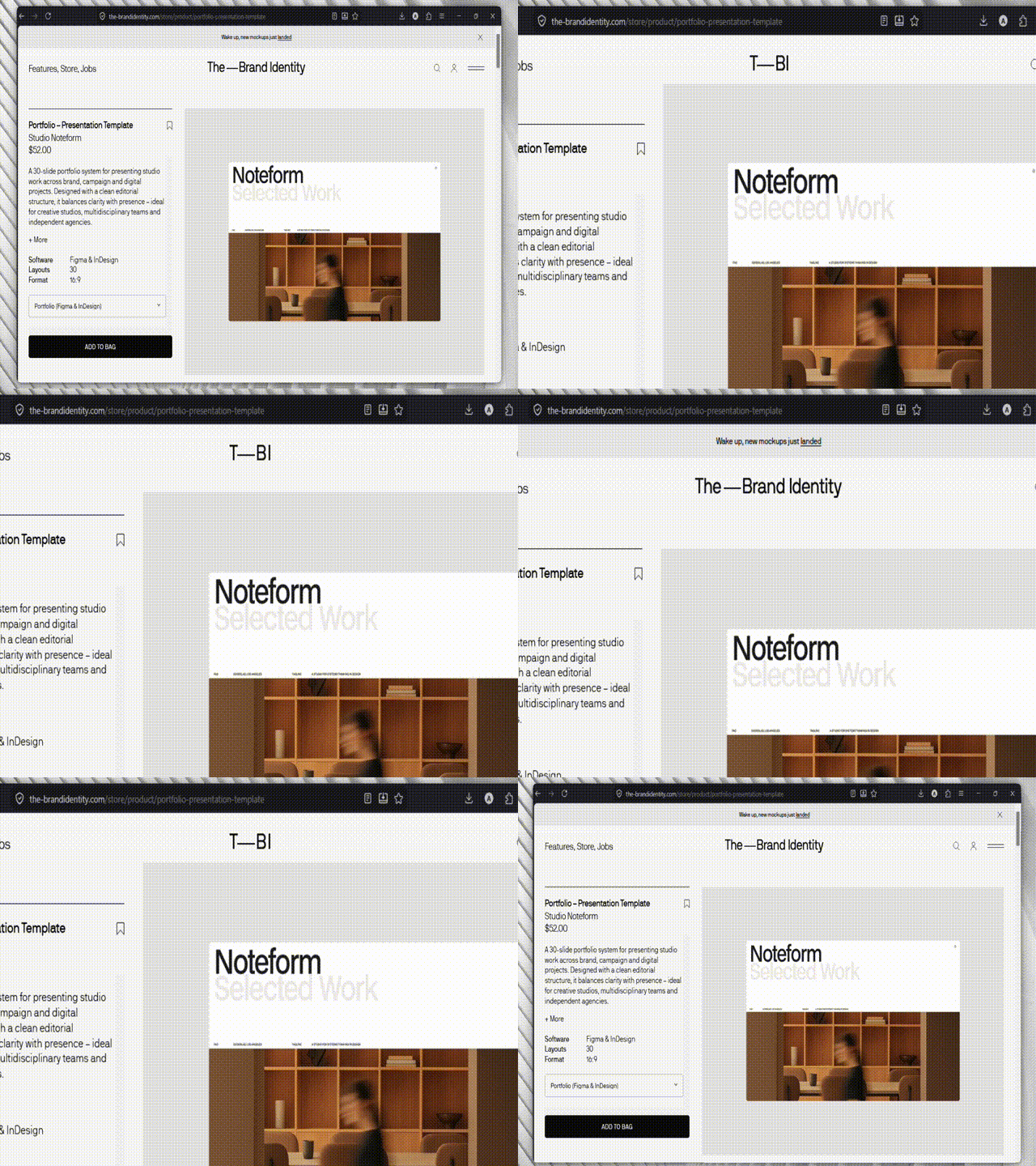
So I stumbled on this site: The Brand Identity when browsing the web. Since i have an eye for web animations and micro interactions, when i opened it nothing new caught my eye, apart from the instant loading speed, and image load(i guessed webp/avif format, and i was right).
I continued to scroll and found that the navbar is different. It had a micro-animation on scroll.
The small subtle animation of the logo made me curious so I had to know how it was made. So I tinkered around the Devtools, and saw that it was just a small opacity switch with weirdly placed layouts and SVGs instead of regular text, and decided to remake it.
minimal html
<nav>
<div>Products</div>
<div id="logo">
<span id="adjei">
<span id="adjei1">A</span>
<span id="adjei2">djei</span>
</span>
<span>—</span>
<span id="kuranchie">
<span id="kuranchie1">K</span>
<span id="kuranchie2">uranchie</span>
</span>
</div>
<div>Menu</div>
</nav>minimal css
* {
  padding: 0;
  margin: 0;
  box-sizing: border-box;
}

body {
  background-color: #f8f8f8;
  color: rgb(43, 38, 38);
  font-family: "Gill Sans", "Gill Sans MT", Calibri, "Trebuchet MS", sans-serif;
  font-size: larger;
  min-height: 900vh;
}

nav {
  text-transform: uppercase;
  display: flex;
  justify-content: space-between;
  padding: 8px;
  width: 100%;
  position: sticky;
  top: 0;
  background-color: beige;
}

span {
  padding: none;
  margin: none;
}

#logo,
#adjei,
#kuranchie {
  display: flex;
  flex-direction: row;
}
the javascript
gsap.registerPlugin(ScrollTrigger);

function init() {
  const adjei2 = document.getElementById("adjei2");
  const kuranchie2 = document.getElementById("kuranchie2");

  const tl = gsap.timeline({
    scrollTrigger: {
      trigger: "body",
      start: "top top",
      toggleActions: "play reverse play reverse",
      ease: "power3.inOut",
      onUpdate: (self) => {
        self.direction === -1 ? tl.reverse() : tl.play();
      },
    },
  });

  tl.to([kuranchie2, adjei2], {
    autoAlpha: 0,
    text: "",
    width: 0,
  }).fromTo("#logo", { fontSize: "100%" }, { fontSize: "120%" });
}

window.addEventListener("load", () => {
  init();
});
so let me take you through the code. The html and css are pretty self explanatory. they are just setting the layout of the site.The javascript is where the actual fun is.
gsap.registerPlugin(ScrollTrigger, TextPlugin);This registers the scrollTrigger and TextPlugin plugins for greensock. Even though not necessary, iit is good practice to register your plugins after you import them to make sure GSAP knows of the plugins you are using.
window.addEventListener("load", () => {
  init();
});
This makes sure that the init function only runs after the page has loaded to prevent FOUC - Flash of Unstyled Content, which happens when javascript runs before/immediately as the content is shown when the styles aren't fully rendered.
const adjei2 = document.getElementById("adjei2");
const kuranchie2 = document.getElementById("kuranchie2");
Finds and stores the element in their respective variable names so it is easier to use later.
const tl = gsap.timeline({
  scrollTrigger: {
    trigger: "body",
    start: "top top",
    toggleActions: "play reverse play reverse",
    ease: "power3.inOut",
    onUpdate: (self) => {
      self.direction === -1 ? tl.reverse() : tl.play();
    },
  },
});
This creates a gsap timeline with these defaults.
A scrollTrigger, which watches when the top of the body element, reaches the top of the viewport/screen to start the animation. The animation has a power3.inOut as the ease, which you can visualize here: GSAP Ease Visualizer (I have no easy way to explain them🙂).
It also has an onUpdate function which runs every time a scroll is made. This function checks the direction of the scroll(up/down) and either plays or reverses the animation based on the direction of the scroll.
tl.to([kuranchie2, adjei2], {
  autoAlpha: 0,
  text: "",
  width: 0,
}).fromTo(
  "#logo",
  {
    fontSize: "100%",
  },
  {
    fontSize: "120%",
  },
);
So this is the main magic factory(I don't know why i said that...). Here we change the css properties of the kuranchie2 and adjei2 elements. The autoAlpha sets the visibility and opacity of the elements to 0, so on scroll it hides them.
Then the text:" "(using the TextPlugin), empties the text content in those elements, while the width of the elements are set to 0.
Then for the finishing touch, the fontSize of the logo element is increased by 20%.
I also added some extra stuff , which is the progress bar that fills up when you are scrolling.
This is what i had after everything.
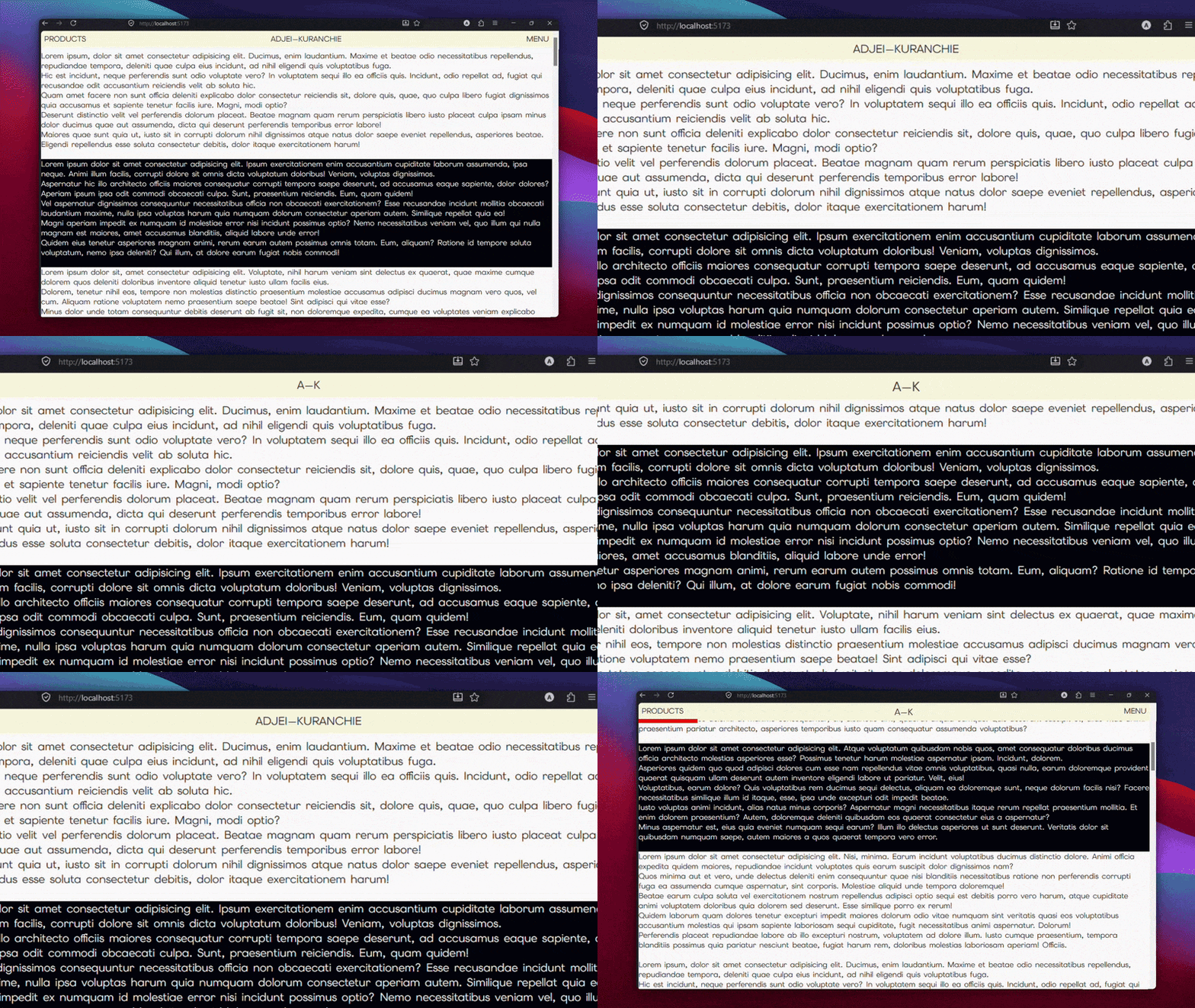
This snippet is also on CodePen if you want to check it out. Link to CodePen